Web search
Settings1 min read
Normally a model only knows what it learned during training. With this checkbox it looks things up on the web before generating.
Try it on: Seedance 2.0 · Seedance 2.5 · Seedance 2.0 Fast
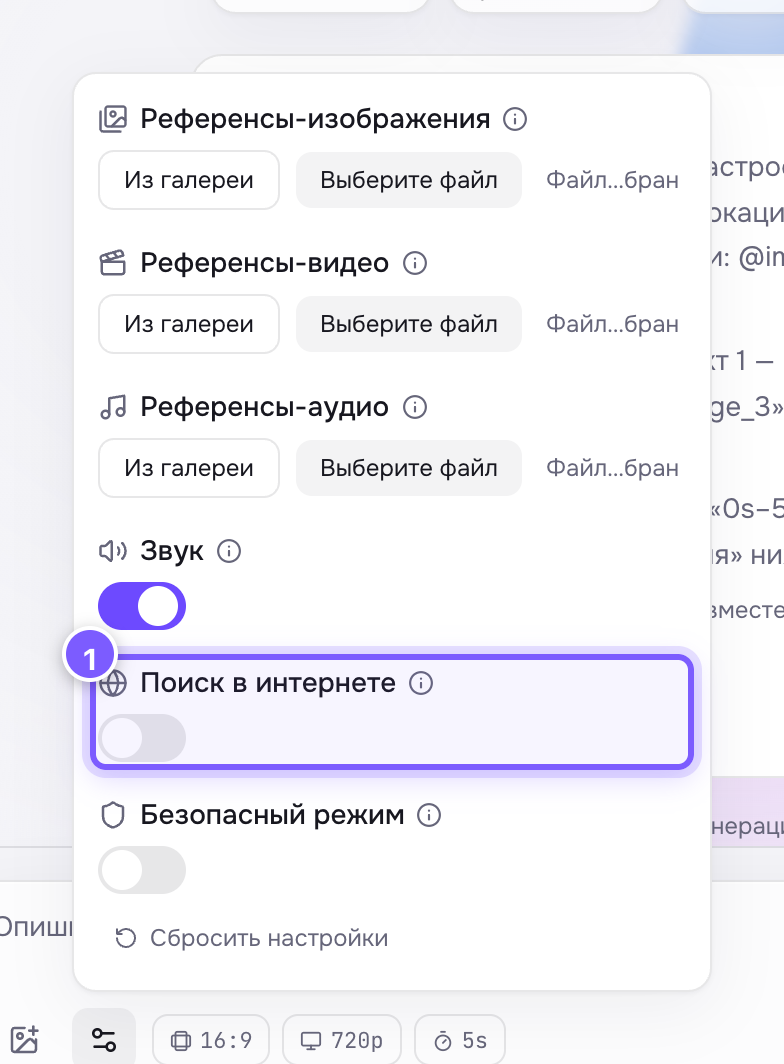
- A toggle. Off by default.
Off by default.
When to turn it on
- Your prompt mentions a recent event: "in the style of the new film", "like at the latest keynote".
- It names a specific brand, place or person the model may not know precisely.
- You need the real look of something: "the interior of café N in Moscow".
When to leave it off
- You invented the scene — there is nothing to look up.
- You need reproducibility: the web changes, so tomorrow the same prompt gives a different result even with the same seed.
Where to find it
Under Advanced settings on Seedance 2, 2.5, 2 Fast and 2 Mini.
Do not expect
Accuracy guarantees. The model looks things up and still draws its own way: logos, celebrity faces and signage may come out approximate.