Character swap
Editors1 min read
The same as face swap, but the whole person is replaced, not just the face. First photo — the scene, second — the new character.
Open the editor: Character swap
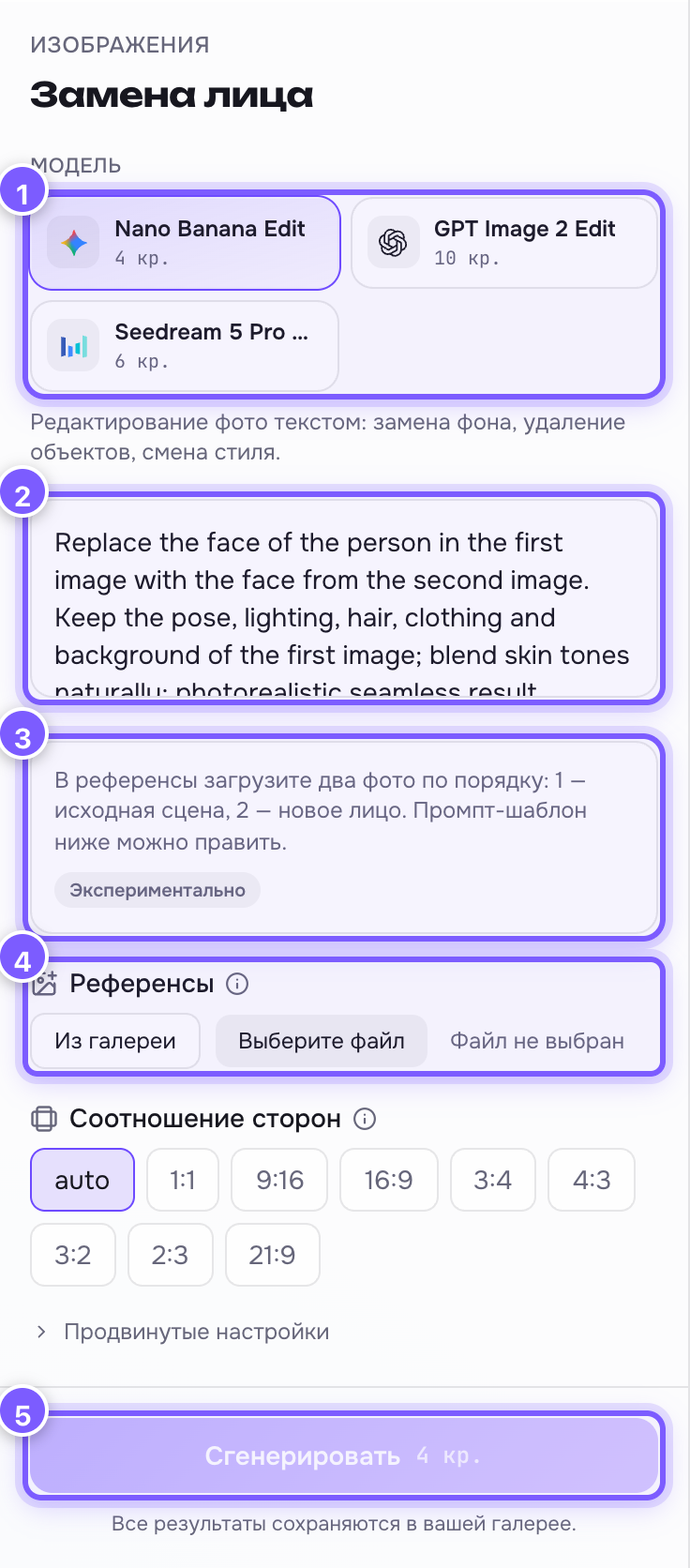
- Model — an image editing network.
- Prompt field — a ready English template: "replace the person in the first image with the character from the second, preserve the scene, pose, lighting and composition". You can add to it.
- Hint and the "Experimental" tag — a general-purpose model does the work, so the result may not come on the first try.
- References — two photos in order: 1 — scene, 2 — character.
- Generate — run it.
How it differs from face swap
| Changes | Stays | |
|---|---|---|
| Face swap | The face only | Pose, hair, clothes, background |
| Character swap | The whole person | Scene, pose, lighting, composition |
Want to keep the original clothes and hair? Use face swap. Want to place a different hero (say, a character from your game) into the scene? Character swap.
What helps
- Show the character in the second photo full length, on a plain background.
- Add the details that matter to the prompt: "keep his red jacket".
- Each rerun is a new variant; the third one is often noticeably better than the first.