Audio references
Settings1 min read
Short example sound files. The model listens and makes the video's sound similar in character: same atmosphere, same kind of noise, same musical mood.
Try it on: Seedance 2.0 · Seedance 2.5 · Seedance 2.0 Fast
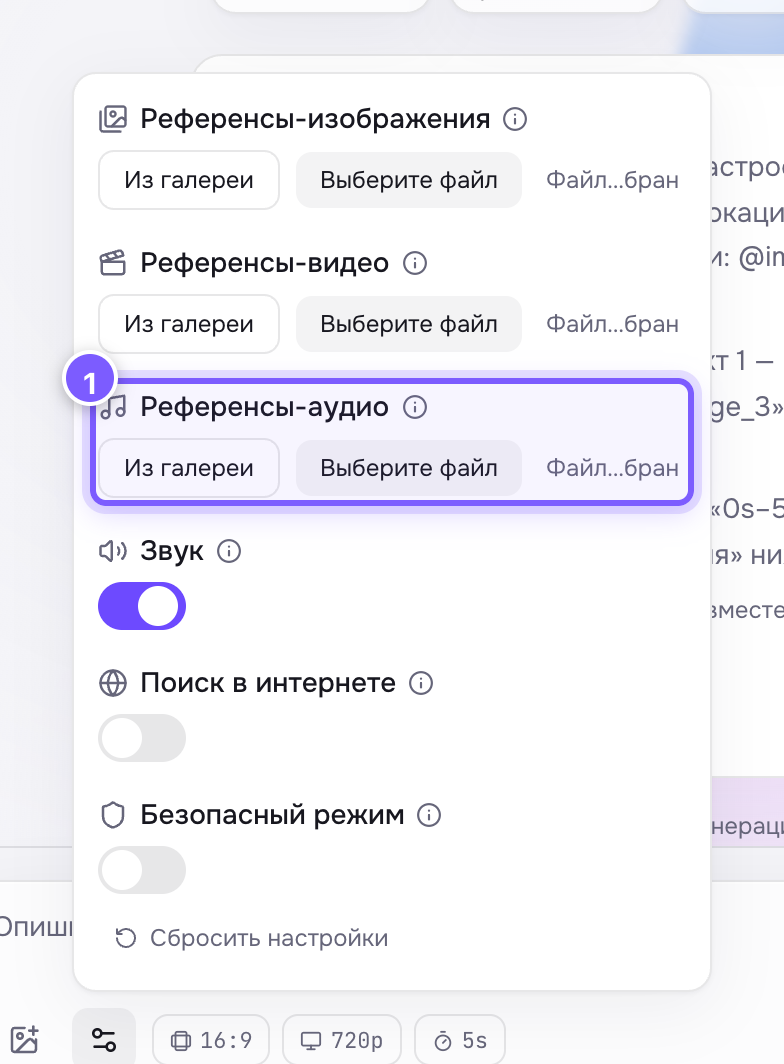
- Upload a file or pick audio from your gallery.
Limits
- Up to 3 files (up to 10 on Seedance 2.5).
- Roughly 15 seconds in total.
- Formats: MP3, WAV.
What to expect
- You get: a similar atmosphere, tempo and character of sound.
- You do not get: an exact copy of your music or a specific spoken line. It is a sample, not a track that gets dropped into the clip.
How to use them
- Upload a fragment with the mood you want.
- Point at it in the prompt: "sound like @audio_1".
Numbering follows upload order: @audio_1, @audio_2, @audio_3.
Where to find it
In the gear panel on Seedance 2, 2.5, 2 Fast and 2 Mini. It works together with Sound — with sound off there is no track at all.
Tip
Want your own music in the clip? Do not fight the model, add it in the edit. Audio references are for background mood when there is no time to edit.