Video references
Settings1 min read
Short example clips. The model watches them and repeats the movement, rhythm and shooting style — not the content.
Try it on: Seedance 2.0 · Seedance 2.5 · Seedance 2.0 Fast
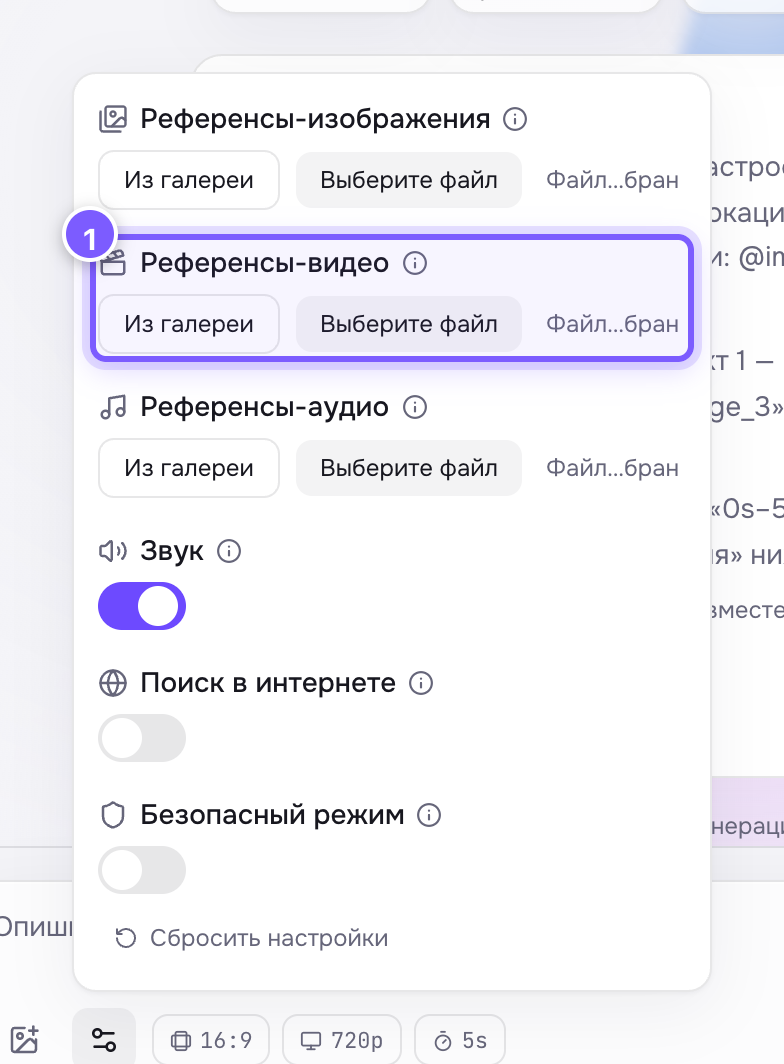
- Upload a file or pick a clip from your gallery.
Limits
- Up to 3 clips (up to 10 on Seedance 2.5).
- Roughly 15 seconds in total.
- Formats: MP4, MOV.
What the model takes from them
- How the camera moves: push-in, orbit, handheld shake.
- How the subject moves: a walk, a swing, a dance step.
- The overall look: film, action camera, studio shot.
It does not copy your people or objects — that is what image references are for.
How to use them
- Upload a short clip with the movement you want.
- Describe WHAT happens in the prompt and point at the example: "the camera moves like in @video_1".
Numbering follows upload order: @video_1, @video_2, @video_3.
Where to find it
In the gear panel on Seedance 2, 2.5, 2 Fast and 2 Mini.
Note
References and first/last frame do not work together — use one or the other.