Ideogram V3: text on images
Models2 min read
The only family in the catalogue that writes actual letters with confidence. Other networks turn captions into mush — Ideogram produces readable signs, logos and posters.
Open in Studio: Ideogram V3 · Ideogram V3 Remix
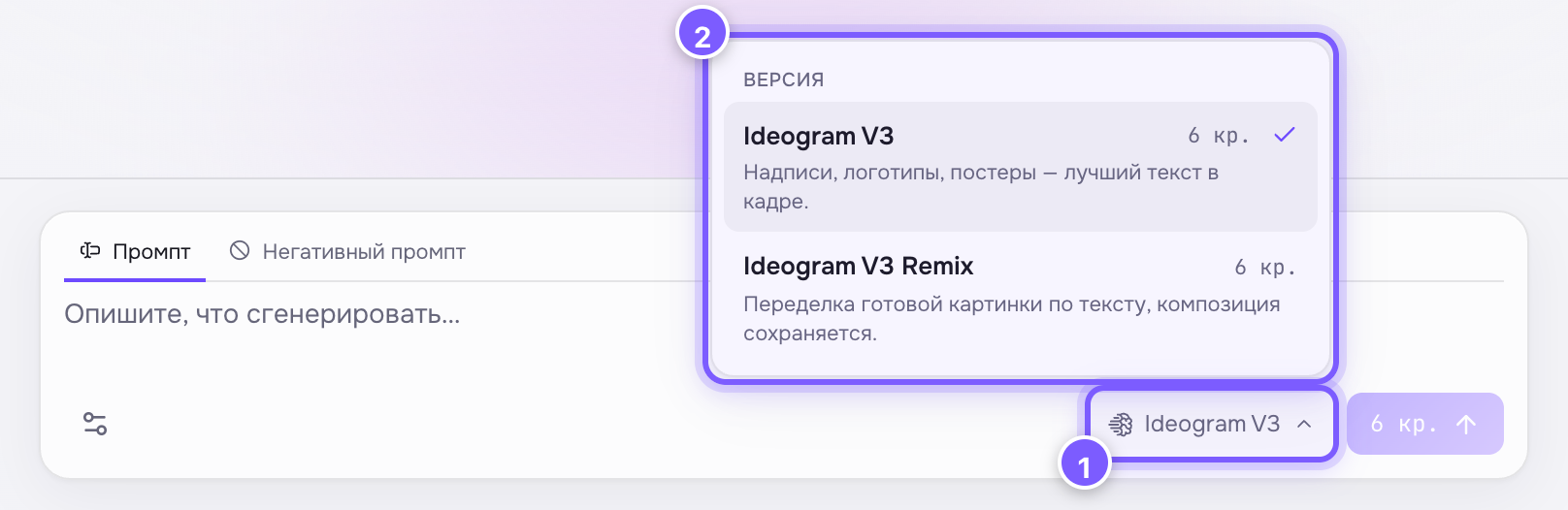
- The model-name button — click to open the list.
- Every version of the family with its price; the tick marks the current one.
Versions and prices
| Version | Price | What it does |
|---|---|---|
| Ideogram V3 | 6 cr. | Image from text |
| Ideogram V3 Remix | 6 cr. | Reworks an existing image by text, keeping the composition |
When to pick it
- A poster, cover or banner with a headline.
- A logo or brand mark.
- Packaging, signage, a menu — anything with lettering.
- Reworking your own layout — Remix: upload the image and describe the change. How far it goes is set by Edit strength.
Writing a prompt with text
Put the caption in quotes and spell it out exactly:
concert poster, large caption "SUMMER 2026" at the top, minimal, two colours
The shorter the caption, the better the odds it comes out error-free. Do not attempt whole paragraphs — this is not a text editor.
Special settings
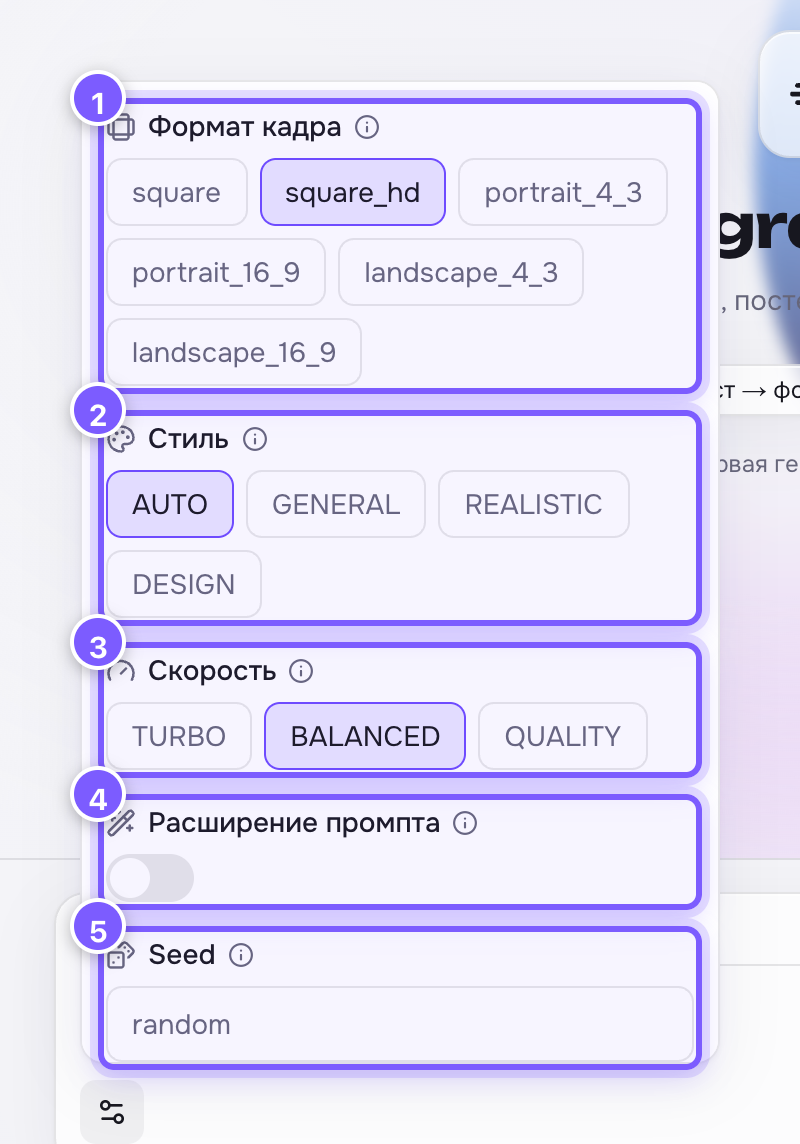
- Frame format. 2. Style. 3. Rendering speed. 4. Prompt expansion. 5. Seed.
For posters set the style to DESIGN and render the final on QUALITY — the difference shows most on letters. For exact wording, leave prompt expansion off.