Qwen3: speaks more than English
Models2 min read
Alibaba's image family. Its distinguishing feature: it understands prompts beyond English — Russian and Chinese need no translating.
Open in Studio: Qwen3 Pro · Qwen3 Edit
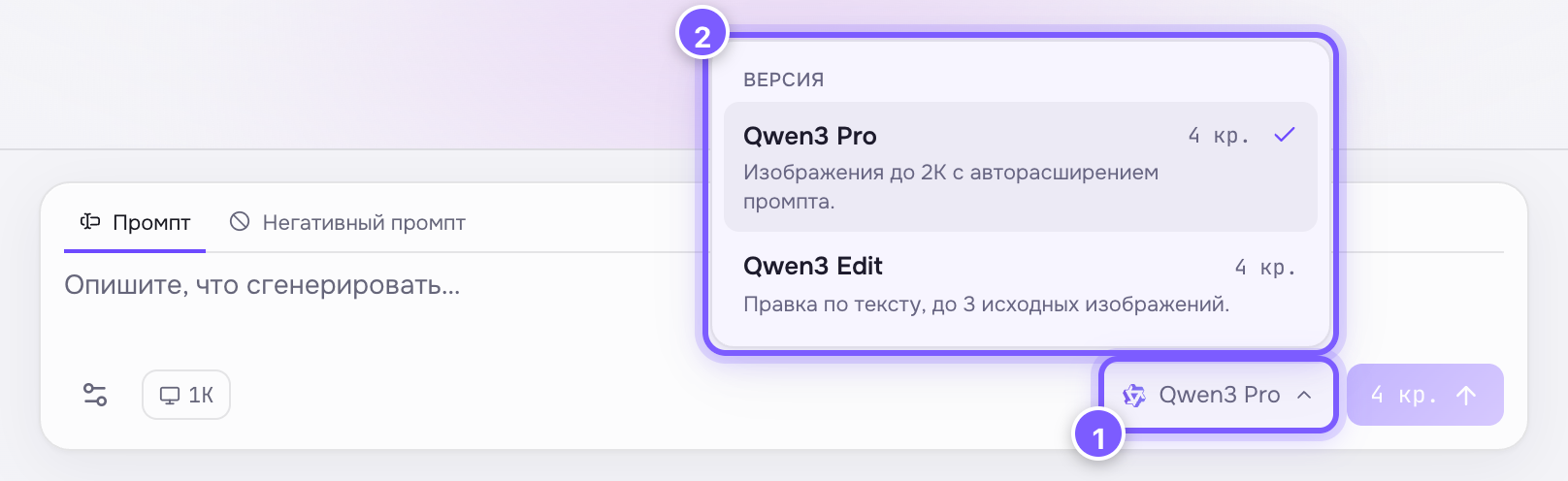
- The model-name button — click to open the list.
- Every version of the family with its price; the tick marks the current one.
Versions and prices
| Version | Price | What it does |
|---|---|---|
| Qwen3 Pro | 4 cr. | Image from text, resolution 1K or 2K |
| Qwen3 Edit | 4 cr. | Text-driven editing, up to 3 source images |
Resolution does not change the price — both cost the same.
When to pick it
- You write prompts in your own language and would rather not translate.
- You need a cheap image of decent quality.
- You need to fix an existing photo with words — Qwen3 Edit takes up to three sources at once.
- You need Asian subjects, typefaces or interiors — Qwen knows them better than Western models.
Special settings
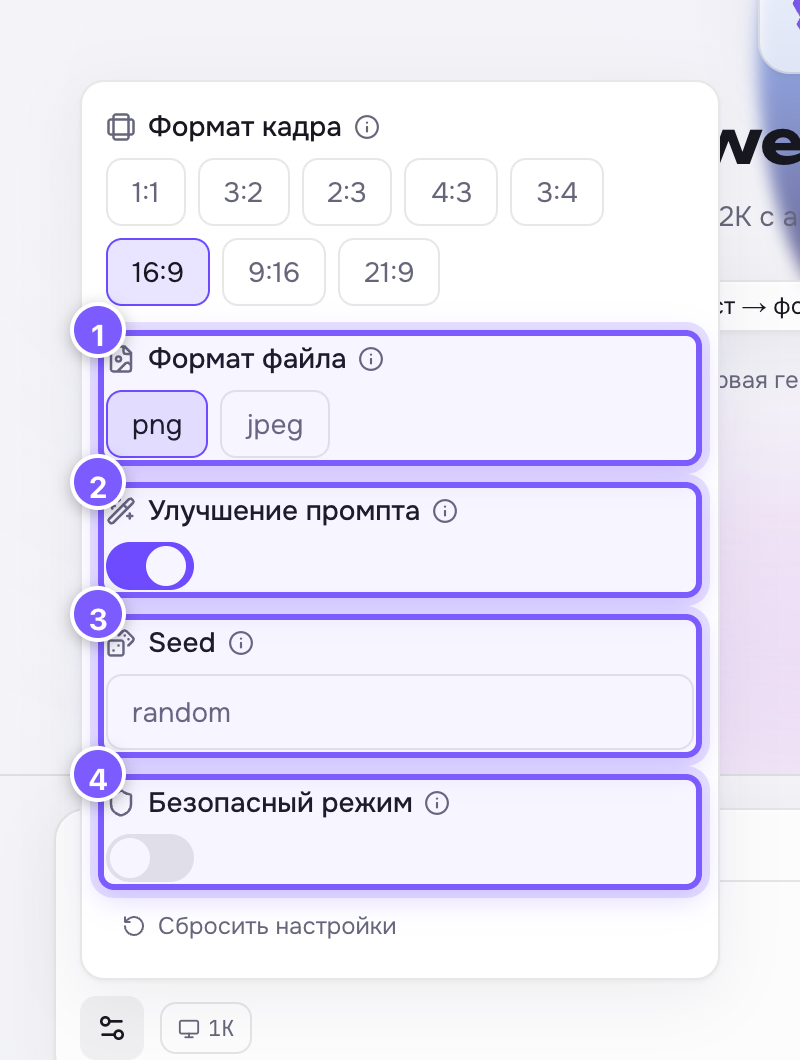
- File format. 2. Prompt enhancement. 3. Seed. 4. Safe mode.
Prompt enhancement is on by default: the model adds detail itself. Writing in detail? Turn it off.
Tip
Non-English prompts work, but short English style terms ("cinematic lighting", "flat vector") are still read more precisely. Mixing them is fine.