Upscale factor
Settings1 min read
How many times bigger to make the image. If it was 1000 px wide and you pick 4, it becomes 4000.
Try it on: Topaz Upscale
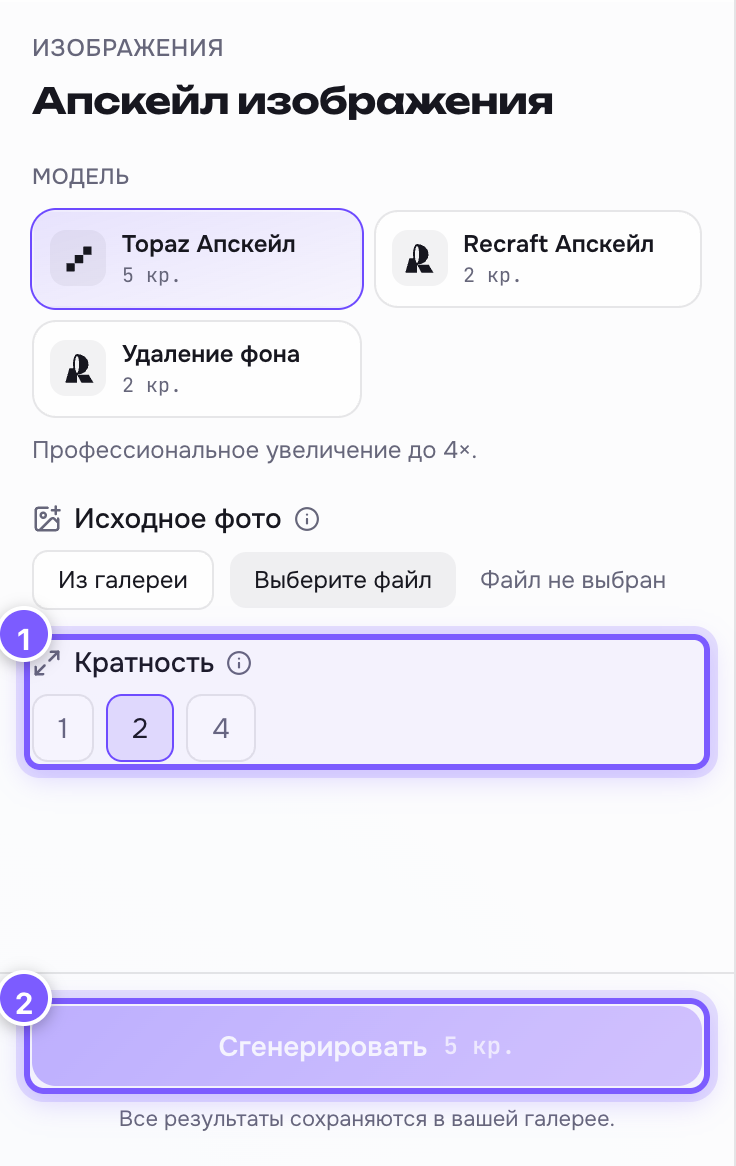
- Three buttons: 1, 2 and 4. The selected one is highlighted.
- The run button: the price does not depend on the factor.
| Value | What it does |
|---|---|
| 1 | Size stays the same, but the image gets cleaner: less noise and fewer artefacts |
| 2 | Twice as big. The everyday choice |
| 4 | Four times as big. For print and big screens |
2 by default.
Where to find it
On the Topaz Upscale tool in the Upscale editor.
How to choose
- The photo is fine for social media, you just want it cleaner — 1.
- An old or small photo you need for a website — 2.
- Print, a poster, a big screen — 4.
Important
Upscaling paints in missing dots, it does not reveal dots that were never there. A very blurry shot will not become a perfect photograph: detail that is absent in the original is invented, sometimes wrongly. This shows most on faces and small text.