Quality: basic, high, ultra
Settings1 min read
The level of finish. The higher it is, the more the model works on details: skin, fabric, reflections, small text.
Try it on: Seedream 5 Pro · Seedream 5 Pro Edit · Seedream 5 Lite
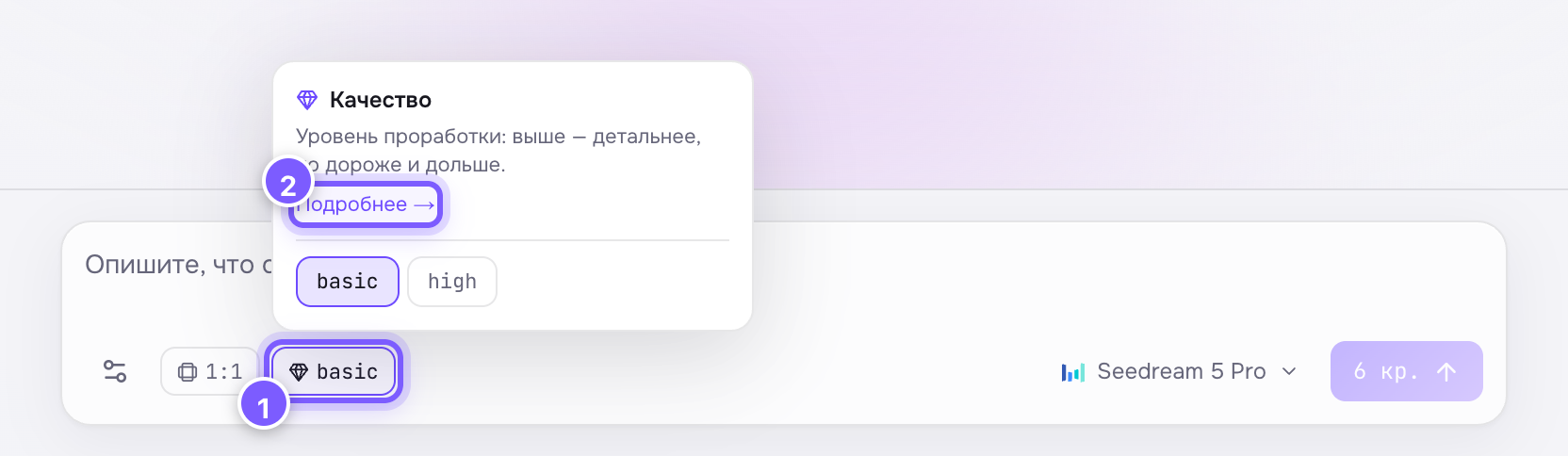
- The chip with the current value — click it to choose.
- "Learn more" — a link to this article.
| Value | What you get |
|---|---|
| basic | Fast and cheap. Fine for drafts and social media |
| high | Cleaner detail and texture |
| ultra | Maximum finish; not available on every model |
basic by default.
How to use it
- Explore on basic: change the prompt, look at variants.
- Once you like one, rerun the same prompt with the same seed on high or ultra.
That way you never pay for expensive drafts.
Where to find it
On Seedream 5 Pro, Seedream 5 Pro Edit and Seedream 5 Lite (Lite also has ultra).
Careful
On Pixverse video models a setting with the same name sets the resolution — 360p, 540p, 720p, 1080p. See Video resolution.